
Atlas is the AI assistant built into OPTIMAZE. Ask it a question in plain language, which budgets are at risk this month, why cloud costs changed last week, and it answers from your organisation’s data. In the attribution editor it can also build and change models for you, in a draft you review before anything goes live.

Where to find Atlas

When you open the side panel from a page, a context chip such as About: Analytics shows what Atlas is looking at. Remove the chip to ask about something else.
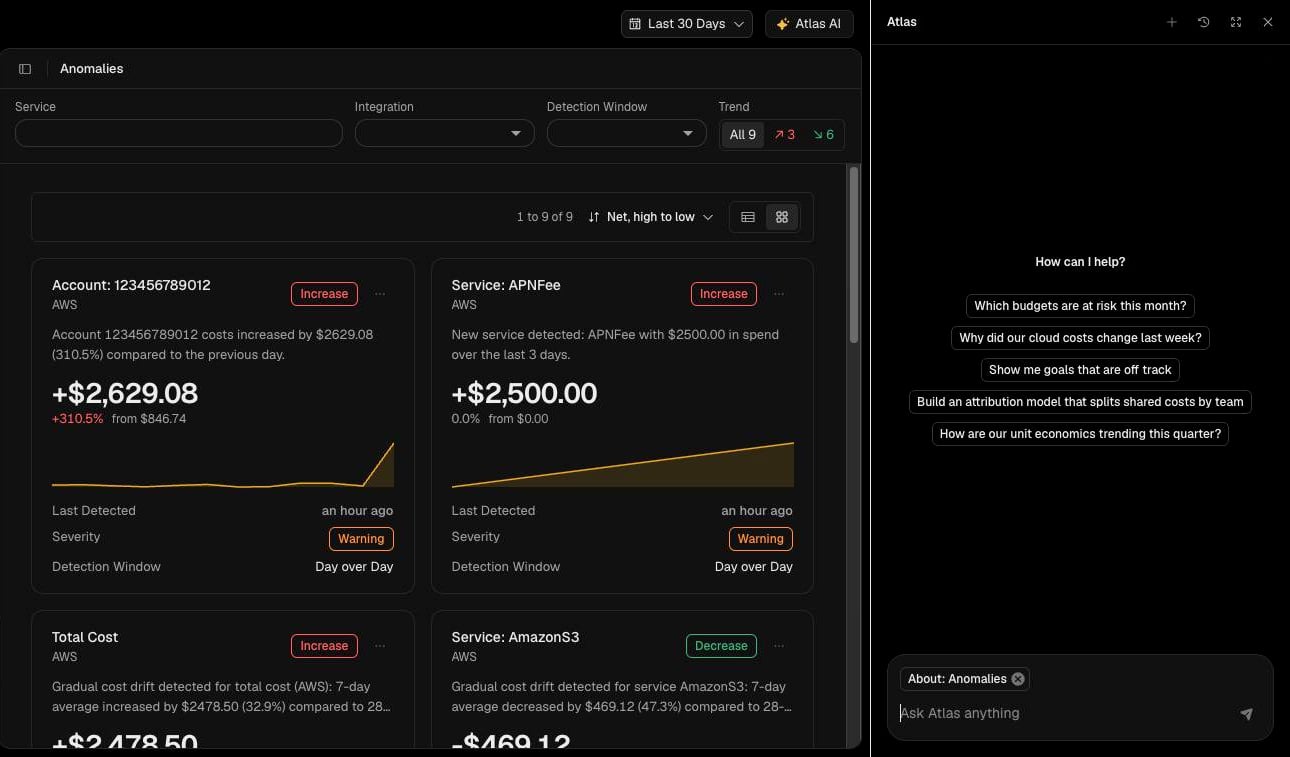
Atlas side panel open beside the Anomalies page, with the About: Anomalies context chip and suggested prompts

Ask a question

  1. Select Atlas in the sidebar, or Atlas AI at the top of the page.
  2. Type into Ask Atlas anything, or choose a suggested prompt.
Atlas can help with:
  • Spend: what changed, when, and which services or integrations drove it.
  • Budgets: which budgets are at risk this period.
  • Goals: which goals are off track.
  • Unit economics: how they are trending.
  • Attribution: what is not attributed yet, and how a model splits cost.

Build or edit a model with Atlas

  1. Open the model in the attribution editor (see Edit and publish a model).
  2. Make sure Atlas AI is selected.
  3. Describe the change, for example “Add a node for production and attribute AmazonEC2 to it”.
Atlas shows each step it takes, and the live preview refreshes as it applies changes to the draft. Use undo to reverse a change, then select Publish when the draft is right. Atlas never publishes for you.

Conversation history

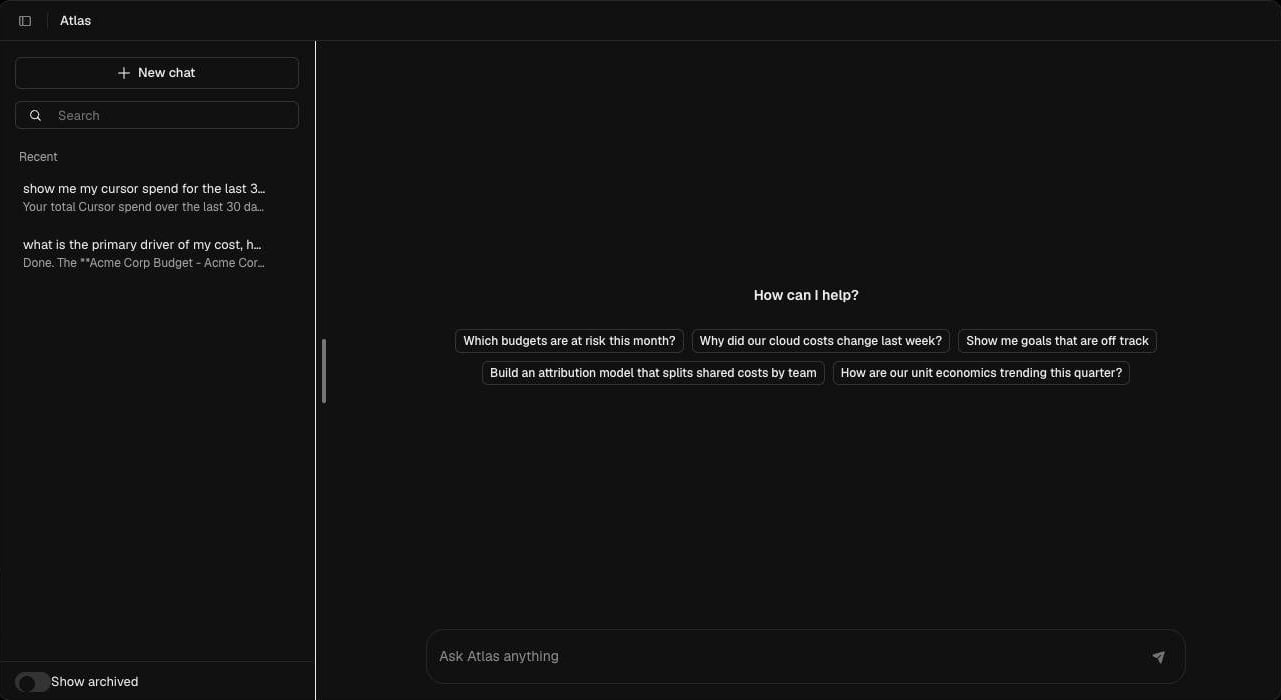
Atlas page with New chat, search, recent conversations, Show archived and suggested prompts
On the Atlas page, every chat is saved in the list on the left. Select New chat to start again, search past conversations, and turn on Show archived to see chats you have archived. In the side panel, use the history icon to reopen a past chat.

Check what Atlas tells you

Atlas works from the same data as the rest of OPTIMAZE, but like any AI assistant it can be wrong. Check figures that matter against Analytics or the attribution view before you act on them, and review every change it makes to a draft before you publish.