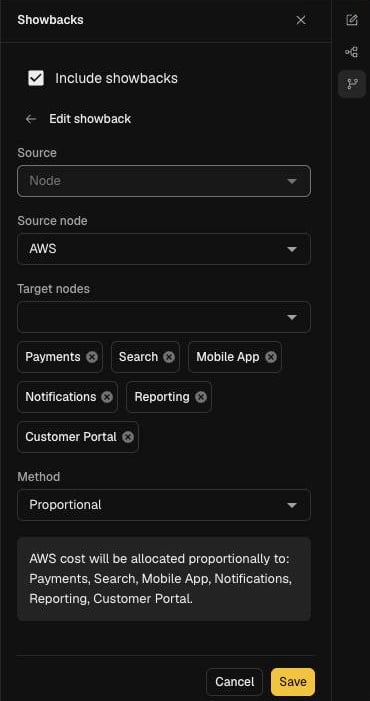

Add a showback
- Open the model in the editor (see Edit and publish a model).
- In the side rail, select Showbacks.
- Select Include showbacks so the model applies them.
- Select Add showback and choose the Source. For a node, also choose the Source node.
- Choose the Target nodes that share the cost.
- Choose the Method (below). A summary underneath confirms where the cost will go.
- Select Add, then publish the draft.