

Before you start
- An attribution model with the node whose cost you want to measure.
- A business metric for the denominator, or a CSV of values to upload.
The Unit Economics page
Under Measure, select Unit Economics.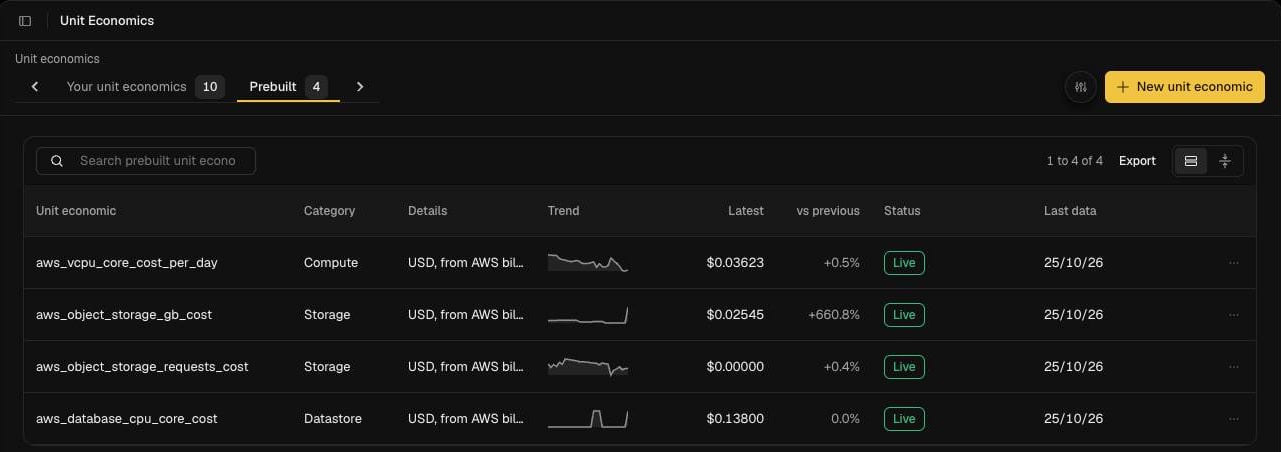
Create a unit economic
- Select New unit economic.
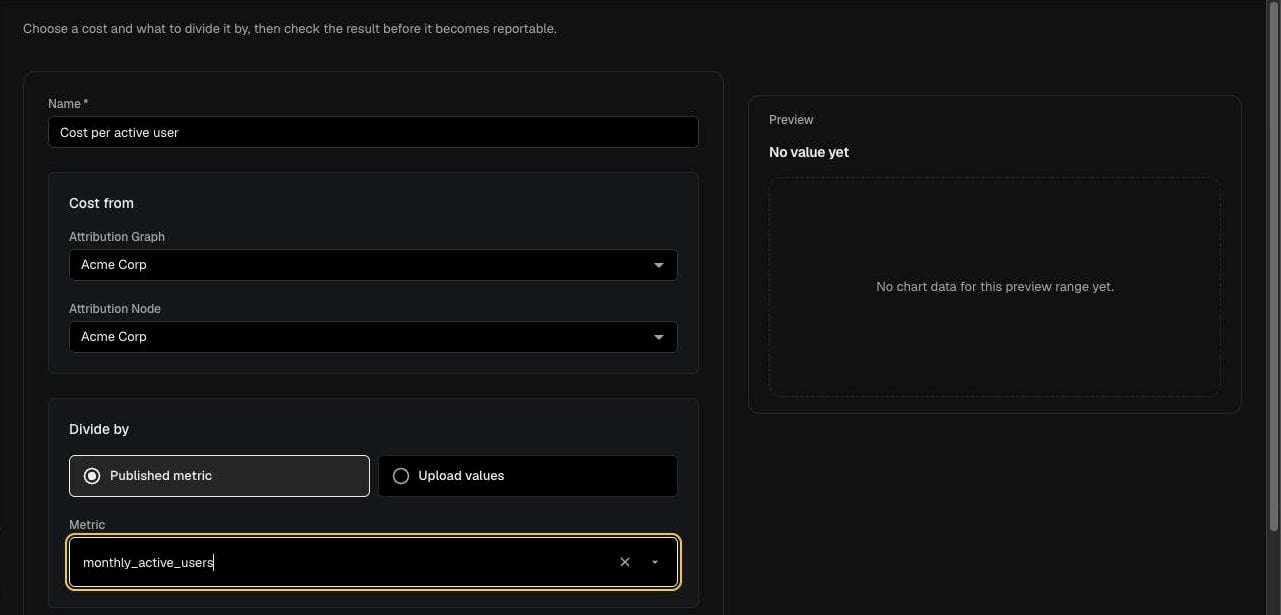
- Enter a Name, for example Cost per customer.
- Under Cost from, choose the Attribution Graph and the Attribution Node whose cost forms the numerator.
- Under Divide by, choose one:
- Published metric: pick a metric from Metric.
- Upload values: select Upload values and upload a file of denominator values.
- Open More details and set the Owner, Currency, Unit Display Name (for example per customer) and an optional Description. Currency and Unit Display Name are required.
- Check the Preview, it shows the historical value of the unit economic once both sides are set.
- Select Create.
Use unit economics elsewhere
- Goals: set a target on a unit economic linked to a node. See Goals.
- Overview: unit economics you own appear on the Overview page.
Troubleshooting
- The Preview says “No value yet”. Both the cost and the denominator need to be set, and their date ranges need to overlap.
- One unit economic shows an error. Each unit economic is calculated separately, so an error on one does not stop the others loading. Check its node and metric still exist.