
Model types
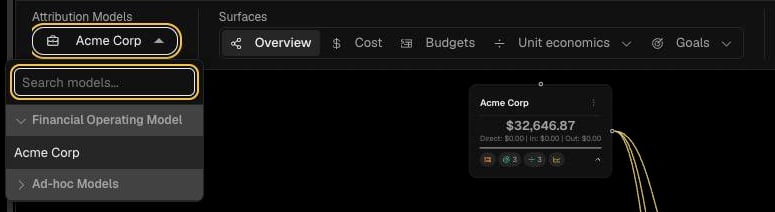
OPTIMAZE has two kinds of model, chosen from the Attribution Models menu.
Large organisations can break parts of the Financial Operating Model into sub-models, each owned and edited separately and linked back to a node on the parent. See Edit and publish a model.
Read the attribution view
Open Attribution from the sidebar.
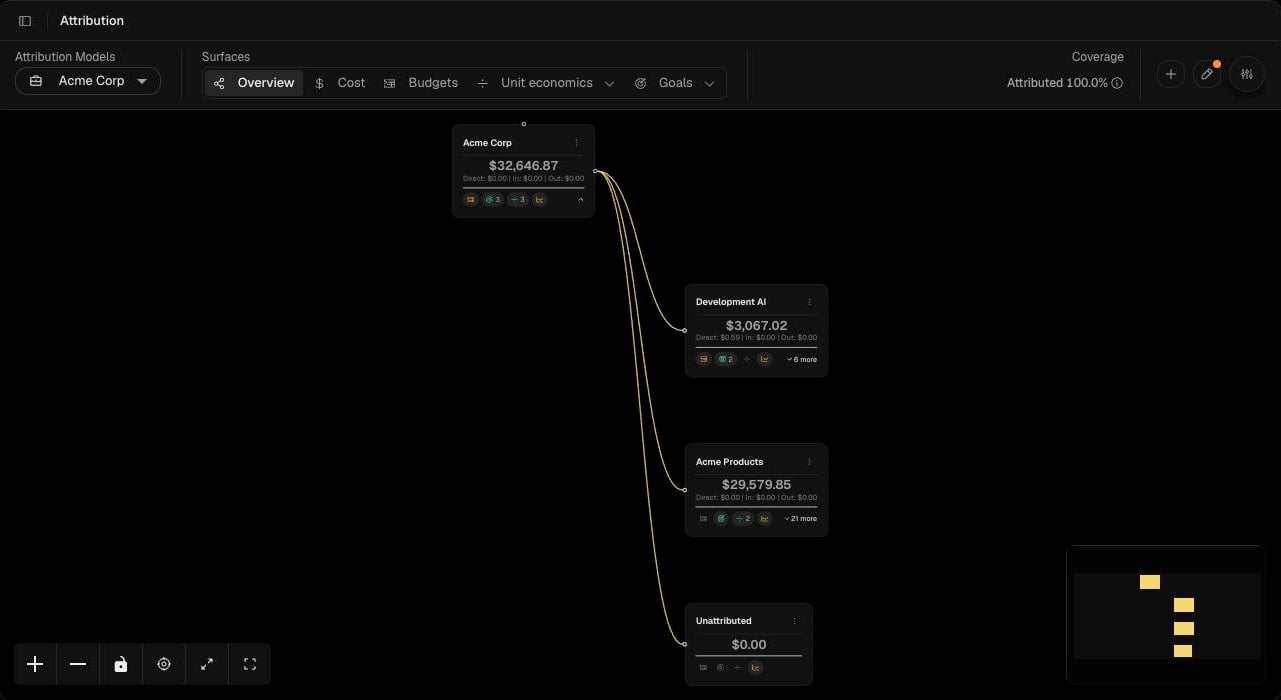
Each node shows its spend for the selected date range and a trend line. Select more on a node to expand its children, or the node menu for node actions. Use the controls at the bottom of the canvas to zoom, lock the layout, recentre, expand and go full screen. The minimap shows where you are in a large model.
Coverage
Coverage is the proportion of spend in the selected sources that has been attributed to named nodes. Spend that has not been attributed appears in the Unattributed node. To raise coverage, add nodes that capture the unattributed spend, or use showbacks to distribute it across existing nodes. Unit economics and goals are only as reliable as the attribution beneath them, so aim to close the gap before reporting on them.Next steps
Edit and publish a model
Work in a draft, use Atlas or the manual editor, then publish.
Showbacks
Distribute shared or unattributed cost across nodes.